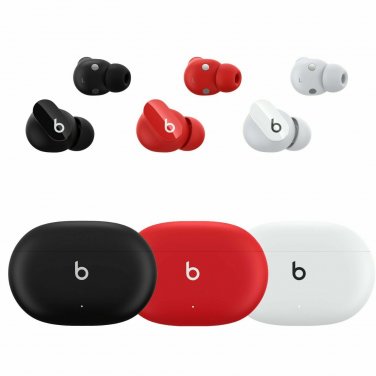
Genuine Beats Studio Buds Totally Wireless Earphones RIGHT/ LEFT/ OR CASE ONLY oW ↵ Grade A: Minor cosmetics if any Authentic Beats Studio Buds Replacements 100% Functional, Cleaned, and Sanitized. Fast, Free Shipping with Tracking Number. 24/7 Premium Customer Support **This listing IS NOT for a full set. SELECTING Studio Buds WITH TIPS WILL COME WITH ONLY 1 MEDIUM SILICONE TIP** No box, No other accessories. Each Beats Studio Bud & Case are tested multiple times prior to us cleaning, listing, and shipping it to our customers. If you have an issue with pairing, not charging, or simply not working, please contact us. These Authentic Beats Studio Buds will NOT work with replica or clone Beats Studio Buds. They will ONLY work with Authentic, Genuine, Original Beats Studio Buds & Charging Cases. For us to assist you with checking your Beats Studio Buds, please contact us with pictures of your set, model numbers, and serial numbers on the Beats Studio Buds & Charging Case for us to help determine what part you need as well as the Authenticity of your Beats Studio Buds. Thank you How To Sync & Re-Pair Your Beats Studio BudsMake sure both Studio Buds are fully charged, your case will emit a solid green light.While both Studio Buds are in the charging case, open the lid and check the status light. It might flash amber, flash white, or stay a solid green. Press and hold down the button of the Studio Buds Charging Case for about 30 seconds to make sure it pairs and syncs each Studio Buds together. The light might change from flashing white to amber flashing then back to flashing white, then you can let go and close the lid.On your iPhone, make sure Bluetooth is on and remove any previous connected Studio Buds that are saved on your device. Then go to the Home Screen. Grab your Studio Buds and flip the lid open and your case should emit a solid green or white flashing. If your iPhone doesn't show a pop up on your screen to connect your Studio Buds, hold down the button of the Studio Buds case while the lid is opened until you see the pop up on your screen. After you see the pop-up, follow the on-screen directions to complete the pairing and syncing of the Studio Buds to your device.